The 'Skill', explained: how to hand your whole routine to an agent

A skill is a handbook for how a task gets done that the agent pulls out itself. How it differs from a tool and a plugin, how to build your own for your routine, and where to put it.
So, Skills. Let's open the Oxford dictionary to the letter S. I can already see your eyes widening, the hook worked. Now to the point.
In the world of AI, a Skill isn't about some abstract "ability". It's a very concrete and very useful thing that solves a pain familiar to anyone who uses ChatGPT or Claude more than once a week: you're tired of explaining the same thing a hundred times over. Let's work out what it is, how to build one for yourself, and where to put it so it works.
The short version
A skill is a handbook for AI. You write down once how a specific task gets done for you, and then the agent pulls out that handbook itself, exactly at the moment the task comes up.
The key word here is "itself". You don't slip it the instruction in every chat from scratch. It looks at your request, recognizes it ("ah, this is about building a post in my style"), and pulls in the right handbook on its own. You just get a result done your way, not "how the AI saw fit".
Officially, in Anthropic's words, it sounds like this: a Skill packages instructions, metadata, and optional resources (scripts, templates) that the model applies automatically when they're relevant. In our words: a written instruction for "how we do this", which the AI turns on without a reminder.
Skill, tool, and plugin: who's who
Three words that often get confused, like width, length, and height. I wrote about it in detail in the article on agents, but I'll repeat it briefly, because without it the rest will be a mess.
- A tool is what the model can physically do: search the web, read a file, run code. It's a hammer.
- A skill is the instruction for how to do a task, and inside it can use several tools. It's the instruction sheet for "how to assemble a shelf with a hammer and screws".
- A plugin is already the whole toolkit: a stack of skills plus connectors and commands, packaged for an entire role ("finance", "designer").
Easy to remember with the building analogy. Without the hammer the instruction is useless. Without the instruction you have the hammer but don't know what to build. And a plugin is when you've been handed the whole builder's toolkit at once.
What a Skill is made of (and why it's just a folder)
There's going to be one technical bit here, but I promise it's not too scary, and even rather reassuring.
A skill is an ordinary folder with a SKILL.md file inside. Not a database, not server code, but a folder, like one on your desktop. In the SKILL.md file there are two required fields at the top:
name: what the skill is called;description: what it does and when to apply it.
That "and when to apply it" in the description is the most important thing in the whole skill. It's exactly what the agent uses to decide whether to pull out the handbook or not. Describe it sloppily ("a useful skill") and it won't fire. Describe it to the point ("builds a carousel from a draft in my brand style, use when I ask to make a post") and it kicks in just right.
After that, in the same folder you can put whatever you want: examples, templates, small scripts, reference files. Or you can put nothing, for most everyday tasks one SKILL.md is enough.
Why you can have a hundred skills and not clutter the AI
There's a neat engineering idea here called progressive loading. It sounds complicated, but the point is simple: the AI doesn't drag all your skills into its head at once, it loads them gradually, in three levels.
| Level | When it loads | How much it weighs | What's inside |
|---|---|---|---|
| 1. Metadata | Always, at the start | ~100 "tokens" (peanuts) | Name + "when to apply me" |
| 2. Instructions | When the skill fired | Up to 5k tokens | The handbook text itself from SKILL.md |
| 3. Resources | As needed | No limit | Extra files, templates, scripts |
Anthropic compares a skill to an onboarding guide for a new employee: a newcomer doesn't memorize the whole binder of regulations, they go to the right section when they hit a specific task. The AI does exactly the same. So you can comfortably keep dozens of skills, and it won't "drown": at the start it knows only their names and when they're needed, and it reads into the handbook only when it actually came in handy.
A Skill is an open standard (and that matters more than it seems)
And this is the part the dictionary was worth opening for.
A skill isn't a Claude-only feature. Anthropic released the SKILL.md format as an open standard (it lives at agentskills.io), and competitors picked it up. As of 2026, the same skill format is read by Claude, OpenAI Codex, Google Gemini CLI, GitHub Copilot, Cursor, and a couple dozen more tools.
What this means for you in plain language: a handbook written once doesn't need to be rewritten for each AI. OpenAI says it directly in the Codex docs: "Skills are built on the open agent skills standard". So a skill built for Claude moves over to OpenAI's tool and just works. For an industry where only yesterday everyone was pulling the blanket their own way, this is a rare case of everyone agreeing.
An honest caveat, so you're not let down. Among those who support the standard, many are developer tools (Codex and Gemini live in the command line). So "works everywhere" is true, but for you, if you're not a programmer, the most convenient doors are: claude.ai, the desktop Cowork, and the desktop Codex. More on them below. And keep the cross-vendor part in mind as insurance: you're investing in the handbook, not in a specific app that might fall out of favor tomorrow.
What kinds of skills there are
Two big families.
Ready-made (from Anthropic). You don't even need to connect them. For documents there are already built-in skills for Word, Excel, PowerPoint, and PDF: when on claude.ai you ask "put together a table with formulas" or "make a presentation", the corresponding skill fires under the hood, and you don't even think about it.
Custom (yours). This is where it gets interesting, because it's about your routine. Real-life examples that actually turn into a skill:
brand-voice: how I specifically write, so the texts don't sound "like a neural net";carousel-post: how to build a carousel from a draft by my rules;weekly-report: how to calculate the weekly metrics and in what form to present them;- sales scripts for different types of clients;
- turning a call recording into a summary with next steps;
- translating incoming messages and adapting a post for Instagram, Telegram, and LinkedIn separately.
See the pattern? A skill is needed where there's a repeating method: the steps are roughly the same, and the data is new each time.
How to connect a ready-made skill
The nicest part, because there's almost nothing to connect.
Document skills (Word, Excel, PowerPoint, PDF) on claude.ai work on their own when you make the corresponding file. No settings.
If you want other people's ready skills, Anthropic keeps an open skills repository you can take them from. And here's an important warning right away, which we'll come back to at the end: someone else's skill is like someone else's program, install only from sources you trust.
How to build your own skill for a task
On to dessert. The algorithm step by step, no code.
- Pick one repeating task. Not "everything at once", but one you regularly re-explain to the AI. For example, "tidy up text to match my style".
- Describe the method in words. How you do it yourself: what matters, what to avoid, what counts as a good result. This is the body of your future
SKILL.md. - Write the
nameanddescription. A short name, a description by the formula "what it does + when to apply it". I'll repeat: everything rests on the description, the agent uses it to decide whether to fire or not. - Put examples in there. One or two samples of "this is good" work better than three paragraphs of theory.
- Put the skill where it'll live (see below), and test it: give it an ordinary request and check that the agent pulled the handbook itself and did it by the book.
Where to put it, depending on what you use:
- claude.ai: upload your skill as a zip in settings (Settings → Features), available on the paid Pro, Max, Team, and Enterprise plans with code execution enabled. The skill is visible only to you.
- Cowork and Claude Code: the skill sits as a plain folder, the agent sees and picks it up itself.
- Codex: the skill sits as a plain folder, the agent sees and picks it up itself.
And good news for those scared of the word "write": you can build a skill with the AI's own hands. You open a chat, say "help me put together a skill for this kind of task, ask me what matters", answer the questions, and it assembles the SKILL.md for you. You play the client, not the typist. Bonus track: to build a quality skill you can use /skill-creator (that's also a skill).
One nuance, so there are no surprises: custom skills don't sync between surfaces automatically. Uploaded to claude.ai, it won't appear on the API by itself, and vice versa. Each place is loaded separately.
Where to use a skill and when it's needed at all
A skill isn't a hammer for every occasion. So you don't shove it everywhere, keep a simple fork.
| Task | What to take |
|---|---|
| A one-off request ("rewrite this") | An ordinary chat, no skill |
| Context for one topic (brand rules, project files) | A project / Custom GPT |
| A specific action (search, reading a file) | A tool |
| Reaching an external service (Notion, email, CRM) | MCP |
| A repeating method, data new each time | A skill |
In short: when you get the feeling "I'm explaining the same thing to it for the third time", that's the signal it's time to set up a skill.
A small but important chapter on safety
Since a skill is an instruction the AI does something by, you need to treat other people's skills like other people's programs. Anthropic warns directly: use skills only from trusted sources, and if you really need a skill from an unclear place, open it and read what's inside first.
The logic is simple. A skill can contain scripts and commands, and in the wrong hands that's a way to do something you didn't ask for. So the rule is like installing apps: take either your own, or the official one, or what you've personally checked. No need for paranoia, but attentiveness is required.
FAQ
Do I need to know how to code to make a skill?
No. A skill is a text handbook in a folder, not a program. You can describe the procedure in plain words, and the AI itself will help you assemble the SKILL.md if you ask. Code only comes in handy if you want to add automatic scripts to the skill, but for most everyday tasks that isn't needed.
Is it paid?
The skill format itself is open and free. Ready-made document skills and uploading your own to claude.ai and Codex (ChatGPT) work on the paid plans (Pro and up) with code execution enabled. In Cowork and Claude Code skills are also available.
How is a skill different from a Custom GPT or a Project?
A project and a Custom GPT are "here's context for one topic", they live in their own folder. A skill is "here's a capability that fires anywhere it's appropriate". You can keep one project and a dozen skills that come in handy within it.
Will a skill from Claude work in my ChatGPT or Codex?
The format is the same (that's the whole point of an open standard), but you'll have to move the file by hand: there's no automatic sync between different products and companies. But you don't need to rewrite the handbook, it's compatible.
Can I take someone else's skill and use it?
You can, but like someone else's program: only from sources you trust, and ideally after a look inside. Anthropic's official skills are safe, a random skill from the internet, check it first.
If you're reading this and thinking "I have exactly the kind of task I explain to the AI a hundred times over", write to me on Telegram or leave a request. Tell me what the routine is, and I'll say whether it turns into a skill, and help build it so the agent does it your way, not its own.
Drop the article into your AI and adapt it to your own task.
ChatGPT or Claude will open with a ready prompt about this piece. Take it from there.
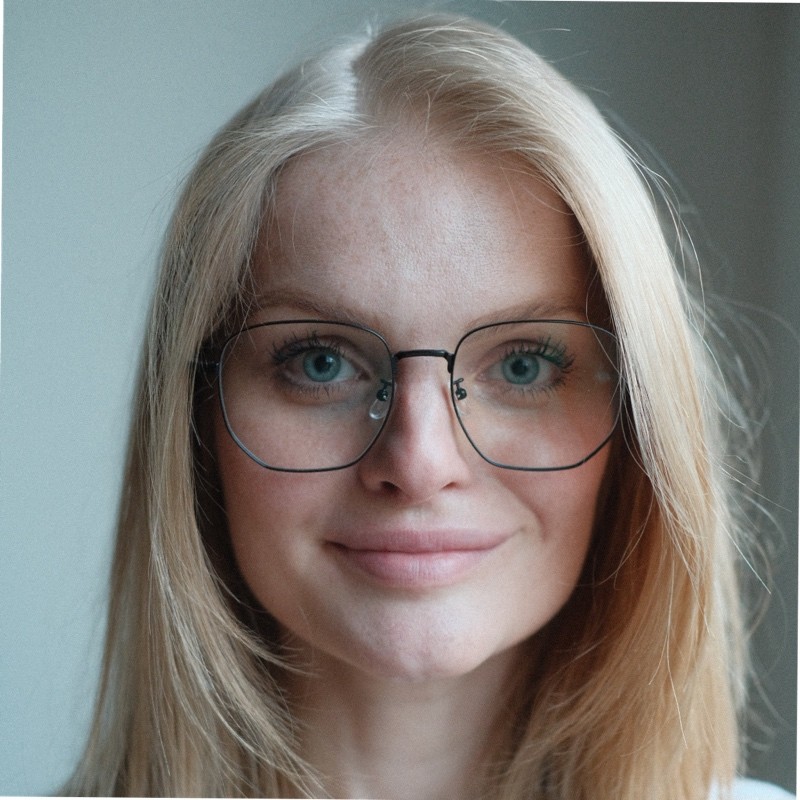
Hi, I'm Anna.
In business since 2011, and for the last few years I build AI automation. I founded moremotions.ru, co-own Heritage, and put together bots and integrations for small business. Based in Tbilisi, working remotely with the whole world.
Want to automate something in your business?
Tell me what you're sick of doing by hand. 30 minutes for a brief, then a concrete offer or an honest no if it's not my kind of task.